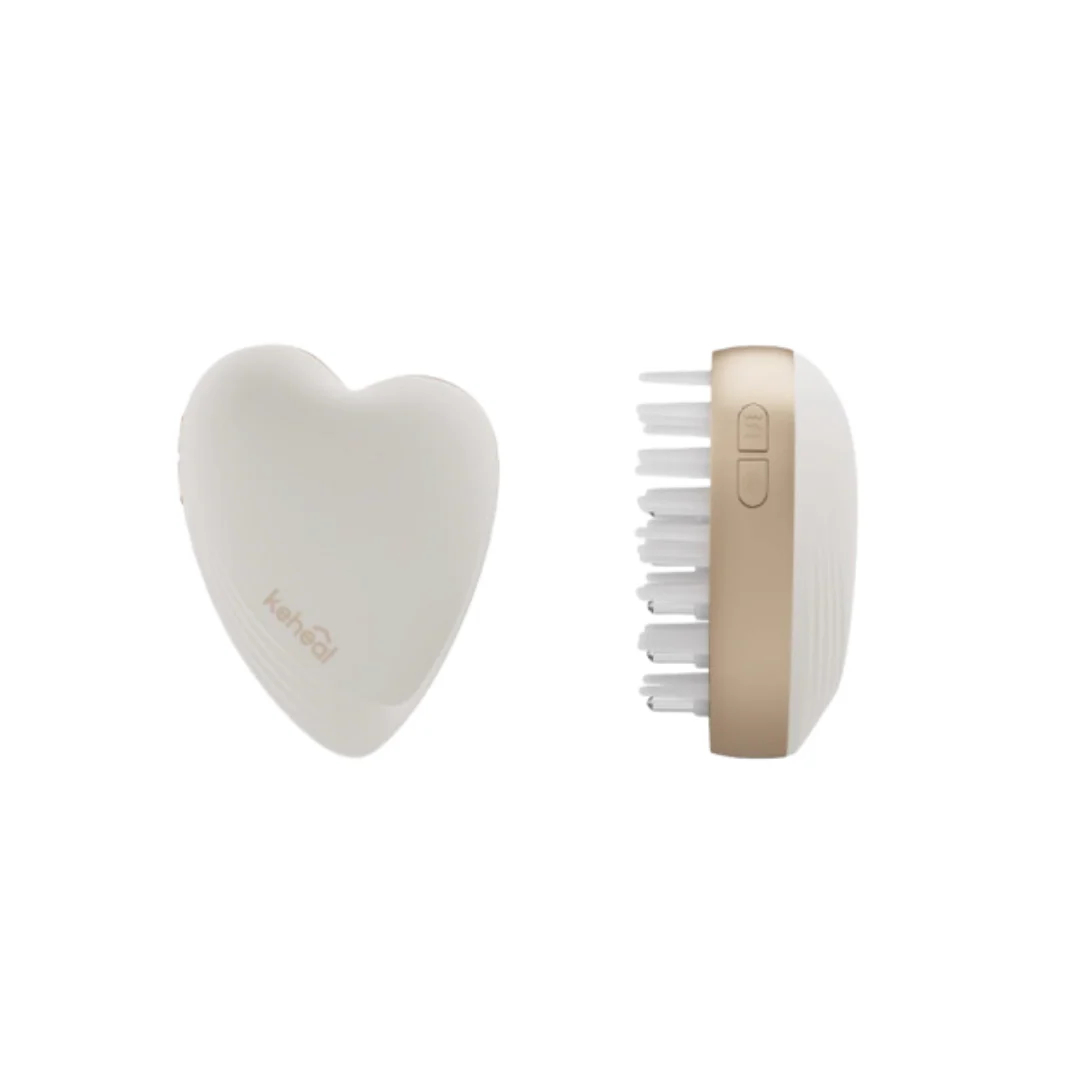
Keheal Multifunctional Infusion Massage Comb 科西多功能导液按摩梳
Specification:
- Product Model: GS-MC1
- Input Voltage: 5V/1A
- Battery Capacity: 500mAh
- Warranty: 6 months
Product Usage Instructions:
Powering On:
Long press the Power Button to turn on the device and enter working mode.
Switching Light Modes:
In working mode, press the Power Button to toggle between Red Light and Blue Light functions.
- Red Light: Promotes skin repair and improves blood circulation.
- Blue Light: Helps control oil and tighten pores, ideal for acne-prone skin.
Activating Vibration Massage:
In working mode, press the Vibration Button to activate the vibration massage function, helping to relax the skin and enhance absorption.
Adjusting Massage Intensity:
Press the Mode Switch Button to adjust the vibration intensity. Choose from 3 levels (Level 1, Level 2, Level 3).
Important Note:
- Do not use the product while connected to the power cable for safety reasons.
Specification:
- Product Model: GS-MC1
- Input Voltage: 5V/1A
- Battery Capacity: 500mAh
- Warranty: 6 months
Product Usage Instructions:
Powering On:
Long press the Power Button to turn on the device and enter working mode.
Switching Light Modes:
In working mode, press the Power Button to toggle between Red Light and Blue Light functions.
- Red Light: Promotes skin repair and improves blood circulation.
- Blue Light: Helps control oil and tighten pores, ideal for acne-prone skin.
Activating Vibration Massage:
In working mode, press the Vibration Button to activate the vibration massage function, helping to relax the skin and enhance absorption.
Adjusting Massage Intensity:
Press the Mode Switch Button to adjust the vibration intensity. Choose from 3 levels (Level 1, Level 2, Level 3).
Important Note:
- Do not use the product while connected to the power cable for safety reasons.
Original: $82.99
-65%$82.99
$29.05Description
Specification:
- Product Model: GS-MC1
- Input Voltage: 5V/1A
- Battery Capacity: 500mAh
- Warranty: 6 months
Product Usage Instructions:
Powering On:
Long press the Power Button to turn on the device and enter working mode.
Switching Light Modes:
In working mode, press the Power Button to toggle between Red Light and Blue Light functions.
- Red Light: Promotes skin repair and improves blood circulation.
- Blue Light: Helps control oil and tighten pores, ideal for acne-prone skin.
Activating Vibration Massage:
In working mode, press the Vibration Button to activate the vibration massage function, helping to relax the skin and enhance absorption.
Adjusting Massage Intensity:
Press the Mode Switch Button to adjust the vibration intensity. Choose from 3 levels (Level 1, Level 2, Level 3).
Important Note:
- Do not use the product while connected to the power cable for safety reasons.